
Plantify: AI Plant Identifier
Deep Flow AppsEducation
4.41.07K Reviews
- Version
- 1.5.2
- Installs
- 5.00M
- Age Rating
- Everyone
Screenshots
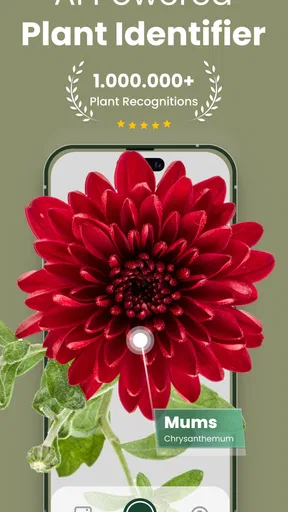
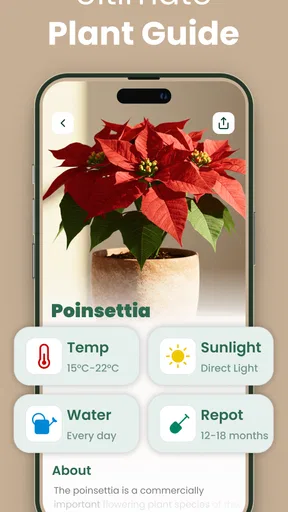
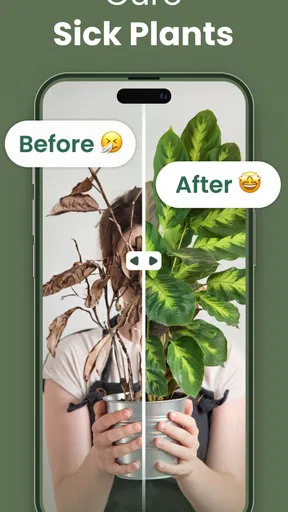
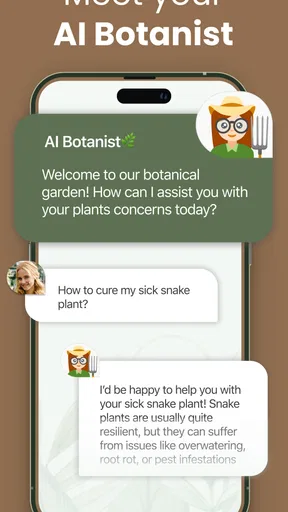
Our Review of Plantify: AI Plant Identifier
 Analysis by Appyee
My first week with a plant-identification app is always the easiest part: every unfamiliar leaf feels like a small mystery, and a quick photo can turn a passing curiosity into something I can name. Plantify: AI Plant Identifier is built around that satisfying first step, but what matters more to me is whether the answer helps after the photo is taken. I found it most useful when I treated it as a starting point for learning, not as a final authority on what a plant needs.
A quick answer, with a reason to look closer
The basic appeal is straightforward. I can point the camera at a plant I don’t recognize, get a suggested identity, then use the accompanying information to decide what to explore next. That works well on a walk, at a garden centre, or beside a houseplant whose name has been forgotten. The identification can make an ordinary moment more engaging, especially when I follow it by comparing the suggested plant with visible details such as leaf shape, arrangement, and growth habit.
That second look is worth making. A photo-based match is a useful clue, but similar-looking plants can be difficult to distinguish from a single image. I get more value by taking a clear picture of the whole plant and, when practical, another that shows the leaves up close. If the result seems surprising, I treat it as a lead to check rather than a reason to make an immediate care change. Use the identification to guide observation, not to replace it.
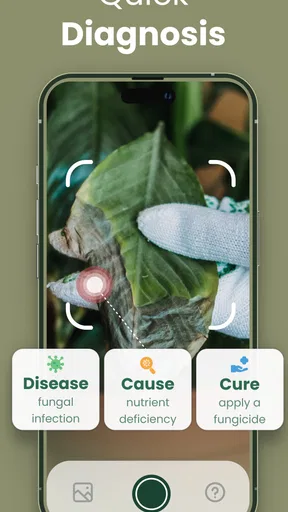
That distinction matters most when a plant is unhealthy. A name and a general care guide can help me ask better questions, but a yellow leaf or drooping stem may have several causes. I would not assume the app can diagnose a specific problem just because it can identify a plant. Checking the soil, recent watering, light, and the condition of new growth still gives me more useful context than acting on one broad instruction.
Where it fits into an ordinary week
I can see myself using it in small, practical moments rather than setting aside a long study session. On a weekend walk, I might photograph a tree I pass regularly and learn what to look for the next time I see it. At home, I could identify a gifted plant before choosing a spot for it. At a nursery, it could help me investigate an unfamiliar label or compare a plant’s general needs with the conditions I can actually provide.
A useful habit is to connect each identification with one question. Is this plant likely to suit a bright window? What feature separates it from a similar species? Does its care guidance fit the conditions in my room? That keeps browsing purposeful and makes the educational side more memorable. It also reduces the temptation to collect names without understanding what they mean for everyday care.
Getting Started with Plantify
Right off the bat, Plantify is super easy to get into. After downloading from the app store, I was greeted by a clean and simple interface. It’s intuitive, which means you won’t be fumbling around trying to figure out what to do next. The home screen gives you quick access to the main feature: the plant identification camera. Just point, shoot, and voila! You’ve got the plant's name, some cool facts, and tips on how to care for it.
How It Works
The magic behind Plantify is its use of cutting-edge AI technology. I snapped a picture of a plant in my living room that I’ve been calling “green thing” for years, and within seconds, the app identified it as a Monstera Deliciosa. Not only did it give me the name, but it also provided a brief description, care tips, and even some fun trivia. Did you know Monsteras are native to the tropical forests of southern Mexico? I didn’t, but now I do, thanks to this app.
Looking beyond the first-week novelty
After the initial run of identifications, the question becomes whether there is a reason to keep opening the app. For me, the answer depends on how often plants enter my day. If I care for several houseplants, browse gardens, or enjoy learning the names of roadside greenery, its mix of identification and care information gives me recurring reasons to return. If I rarely encounter plants and only want to identify one mystery leaf, the initial answer may be all I need; there is no need to turn a simple curiosity into a new routine.
The most sustainable use is occasional and specific: check a plant when it is new to you, revisit the guidance when you are deciding where it belongs, and use the encyclopedia when curiosity goes beyond the first result. I would avoid treating repeated app checks as a watering schedule. Plant care depends on the actual plant and its conditions, and a fixed instruction can be a poor fit for a room that is cooler, darker, or more humid than expected. The guide is a reference point, while observing the plant remains part of the job.
Features to Explore
Aside from identifying plants, Plantify comes packed with other features:
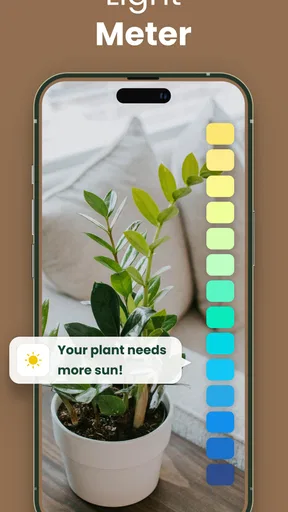
- Care Guides: Once you identify your plant, the app provides detailed care instructions. Whether it’s watering frequency, sunlight needs, or soil type, Plantify has got you covered.
- Plant Encyclopedia: Fancy a deep dive into the plant kingdom? The app hosts an extensive database of plants, each with comprehensive profiles. It’s like having a library of plants at your fingertips.
- Community Tips: Plantify also lets you connect with a community of plant enthusiasts. Share tips, ask questions, or just brag about your plant collection.
How it compares with other ways to identify plants
The obvious alternative is searching the web with a description or image. That can be better when I want to compare several sources, inspect a specialist explanation, or verify a detail that matters. Plantify’s advantage is the short path from picture to a plant profile and care information in one place. A field guide or a knowledgeable local gardener can offer more context about regional plants and lookalikes, while the app is more convenient for a quick first pass when I’m out and about.
For learning, I would use the app alongside observation rather than instead of it. A guidebook encourages me to notice distinctions before settling on a name; an identification app gives me a fast suggestion that I can then test against the plant in front of me. That makes Plantify particularly appealing to curious beginners and casual indoor gardeners, while someone doing formal botanical work or needing a dependable identification for a safety decision should seek stronger confirmation from reliable specialist sources.
My Personal Experience
After using Plantify for a week, I must say, it’s been quite the game-changer. It's like I’ve unlocked a new level of plant appreciation. Walking through my neighborhood, I found myself snapping photos of unfamiliar plants, eager to learn more. The app’s accuracy is impressive, and it’s exciting to have a tool that satisfies my curiosity so effortlessly.
What I love most is how it’s made me a more responsible plant parent. Before, I’d just water my plants whenever I remembered. Now, armed with the knowledge from the app, I’m more mindful of each plant’s specific needs, and they’re looking healthier than ever.
Keeping the routine manageable
There is a small maintenance burden even when an app is easy to use: I need to take a useful photo, read the result critically, and remember that care advice is general rather than tailored to every home. A practical workflow is to photograph in decent light, avoid framing several different plants together, and make a note of the suggested name before looking at the profile. Those steps make the result easier to judge and help me avoid confusing one plant’s guidance with another’s.
The source of fatigue is less the camera than the feeling that every plant needs to become a project. If I start identifying every leaf on every walk, the novelty can wear off quickly. I get more lasting value by choosing a few plants that interest me and learning one useful detail about each. The encyclopedia and community can extend that curiosity, but I would not open them just to fill time; they work best when I have a real question or want to compare experiences.
Who should keep it close
Plantify is a good fit if you enjoy casual discovery, want a convenient first identification, or are building confidence with houseplant care. It is also useful for families who want to turn a walk into a simple learning activity, as long as an adult checks important conclusions and keeps the focus on observation. People who prefer a compact reference in their pocket may appreciate having plant profiles and guidance together rather than switching between a camera tool and separate searches.
I would skip it, or use it only as a secondary resource, if you need expert-level certainty, are identifying plants for eating or handling, or already rely on a trusted regional field guide. It is also less compelling if you rarely encounter plants and have no interest in returning to care information after the first identification. The app is free to download, but it includes in-app purchases ranging from $6.99 to $364.99 per item, so I would check what an optional purchase includes before committing. You do not need to buy into a tool simply to test whether its basic approach suits you.
What to expect before installing
Plantify is an education app from Deep Flow Apps. It is free, rated for Everyone, and has a 4.4 average from around 74,000 ratings, with over 5 million installs. Version 1.4.7 requires Android 5.0 or later. Those details make it accessible to a broad range of Android users, though the value still comes down to whether quick plant discovery fits your habits.
If you are wondering whether it can help with outdoor plants as well as houseplants, its identification focus makes it useful for either kind of curiosity; the same caution applies to both: check the suggested result against the visible plant and use care guidance as a starting point. If you are asking whether it can replace a gardening book or expert advice, I would say no. It is better as a convenient companion for everyday questions than as the sole authority when the stakes are high.
Wrapping Up
If you’re someone who loves plants or just wants to learn more about the flora around you, I highly recommend giving Plantify a try. It’s not just an app; it’s an educational tool that turns plant identification into a fun and engaging activity. Whether you’re a beginner or a seasoned botanist, there’s something for everyone to enjoy.
In a world where technology often pulls us away from nature, Plantify manages to bridge the gap, bringing the wonders of the plant world closer to us. So why not give it a shot? Your inner botanist will thank you!
My long-term verdict
For me, Plantify earns a place on the phone when I use it as a pocket reference that nudges me to notice more, not as an authority that makes every decision for me. Its lasting appeal is the easy loop from curiosity to a name, then from that name to a useful next question about the plant. If that kind of small discovery fits naturally into your walks or home routine, it can keep paying off after the first-week excitement fades.
If you want certainty for specialist work, a diagnosis, or a safety-critical decision, a local expert or a carefully checked reference is the better choice. For ordinary curiosity and a helping hand with familiar gardening questions, I find the balance worthwhile: convenient enough to revisit, educational enough to make a walk more interesting, and most useful when I keep my own eyes on the plant as well.
Verdict
Strengths of Plantify: AI Plant Identifier
- Accurate plant identification results.
- User-friendly interface for easy navigation.
- Broad database covers rare plant species.
- Offline mode available for remote areas.
- Includes plant care tips and guides.
Limitations of Plantify: AI Plant Identifier
- Limited free features; subscription needed.
- Occasional misidentification of plants.
- Requires internet for full database access.
- Some features are slow to load.
- In-app ads can be intrusive.
Other Releases by Deep Flow Apps
View All
Learn English, Spanish: Learna
Education4.6

IQ Masters - Brain Games
Education4.2

Nerd AI - Tutor & Math Helper
Education4.6

Retake AI: Face & Photo Editor
Photography3.7
Similar Picks in This Category
View All
Duolingo: Language Lessons
Duolingo4.7

Google Classroom
Google LLC2.8

Unacademy: Learn & Crack Exams
Unacademy3.2

Bible App for Kids
Life.Church4.4

Cake - Learn English & Korean
Cake Corp.4.7

Brainly: AI Homework Helper
Brainly4.5
Frequently Asked Questions
How accurate is the Plantify: AI Plant Identifier?
Plantify boasts a high accuracy rate due to its advanced AI algorithms. It can identify over 10,000 plant species, including flowers, trees, and succulents. However, accuracy may vary based on the quality of the image and the plant's condition. For best results, ensure good lighting and a clear, focused image.
Does Plantify require an internet connection to identify plants?
Yes, Plantify requires an internet connection to access its extensive database for plant identification. The app uses cloud-based AI technology to compare your photo with its vast collection of plant images, ensuring up-to-date and accurate results. Offline functionality is limited to previously saved data.
Is Plantify free to use, or does it have in-app purchases?
Plantify offers a free version with basic features, such as identifying plants and accessing essential care tips. However, it also has in-app purchases and a premium version, which unlocks advanced features like detailed plant care guides, disease diagnosis, and an ad-free experience.
Can Plantify identify plant diseases and provide care tips?
Yes, Plantify not only identifies plants but also offers insights into potential diseases and pests affecting them. The app provides comprehensive care tips tailored to each plant, including watering schedules, sunlight needs, and soil recommendations, helping users maintain healthy plants.
What devices are compatible with Plantify: AI Plant Identifier?
Plantify is available for both Android and iOS devices. It supports a wide range of smartphones and tablets, requiring a minimum operating system of Android 6.0 or iOS 11.0. Ensure your device meets these requirements for optimal performance and access to all features.
